jansson json library 컴파일 및 샘플테스트
설치환경: Ubuntu Server 18.04 LTS
설치방법
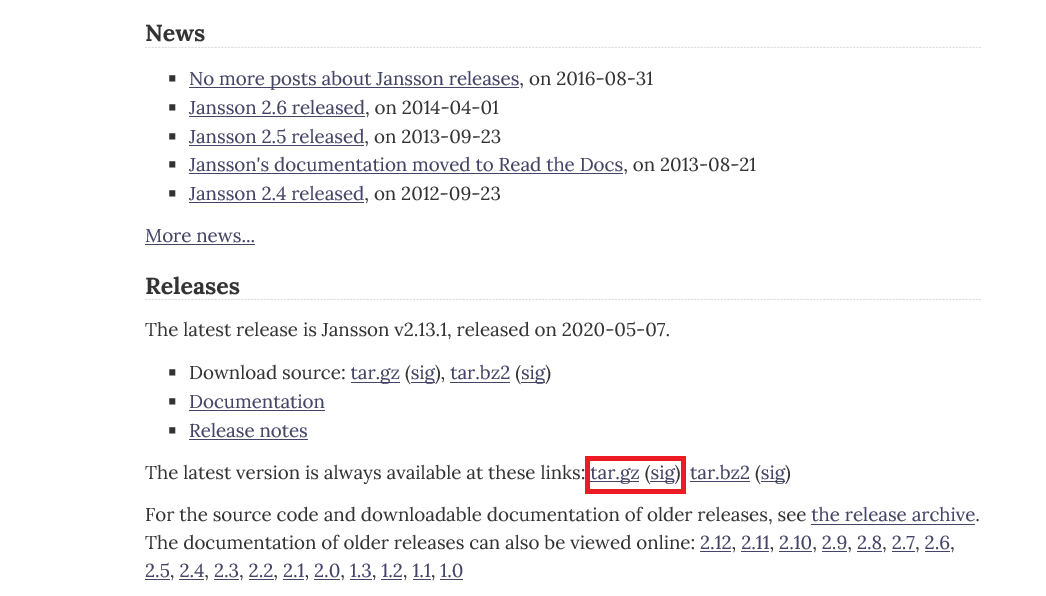
- 해당 사이트에 접속하여 latest버전의 tar.gz파일을 다운로드.
- 다운로드받은 tar.gz파일을 설치환경으로 put한다.

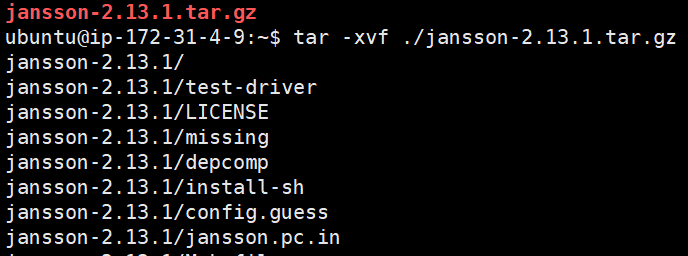
- tar파일을 압축해제.
- # tar -xvf ./jansson-2.13.1.tar.gz

- jansson디렉토리내에서 아래 명령어를 순차적으로 실행한다.
- 설치환경에는 gcc또는 make가 없다면 설치해야한다.
- sudo apt-get install gcc
- sudo apt-get install make
- # ./configure
- # make
- # make install

- 위 과정을 완료한 후 설치환경의 global영역에 .a 및 .so파일이 있는지 확인.
샘플테스트코드작성
#include <stdio.h>
#include <jansson.h>
int main() {
        json_t* obj=json_object();
        json_t* strVal1=json_string("a");
        json_t* strVal2=json_string("b");
        json_t* strVal3=json_string("c");
        json_t* strVal4=json_string("d");
        json_t* strVal5=json_string("e");
        json_t* strVal6=json_string("f");
        json_t* strVal7=json_string("g");
        json_t* strVal8=json_string("h");
        json_object_set_new(obj,"myKey1",strVal1);
        json_object_set_new(obj,"myKey2",strVal2);
        json_object_set_new(obj,"myKey3",strVal3);
        json_object_set_new(obj,"myKey4",strVal4);
        json_object_set_new(obj,"myKey5",strVal5);        json_object_set_new(obj,"myKey6",strVal6);
        json_object_set_new(obj,"myKey7",strVal7);
        json_object_set_new(obj,"myKey8",strVal8);        const char* key;
        json_t *value;
        void* iter=json_object_iter(obj);
        while(iter)     {
                key=json_object_iter_key(iter);
                value=json_object_iter_value(iter);
                printf("%s=%s\n",key,json_string_value(value));
                iter = json_object_iter_next(obj, iter);
        }
        return 0;
}
sample.c
빌드
- # gcc -o ./sample ./sample.c -ljansson

- gcc명령어로 sample이라는 실행파일이 만들어졌는지 확인한다.
- 만약 library를 찾지 못하는 error가 발생한다면 아래 명령어를 실행시켜 공유 라이브러리 캐시를 다시 설정한다.
- # sudo ldconfig
- 만약 library를 찾지 못하는 error가 발생한다면 아래 명령어를 실행시켜 공유 라이브러리 캐시를 다시 설정한다.
실행

- 소스코드 실행결과 확인
API reference
https://jansson.readthedocs.io/en/2.13/apiref.html
API Reference — Jansson 2.13.1 documentation
Library Version The Jansson version is of the form A.B.C, where A is the major version, B is the minor version and C is the micro version. If the micro version is zero, it’s omitted from the version string, i.e. the version string is just A.B. When a new
jansson.readthedocs.io
'기타 > etc' 카테고리의 다른 글
| json-c 라이브러리 (0) | 2020.11.23 |
|---|---|
| mysql root password 설정방법 (0) | 2020.06.12 |
| 윈도우10에서 환경변수 등록방법 (0) | 2020.05.29 |