1. 4개의 자동화 tool 비교
| Puppet | Chef | Salt | Ansible | |
| 개발사 | Puppet Labs | Opscode | SaltStack | AnsibleWorks |
| 등장 | 2005년 8월 | 2009년 1월 | 2011 3월 | 2012년 3월 |
| 개발언어 | Ruby | Ruby(클라이언트) Erlang(서버) |
Python | Python |
| 도입고객 | Google, ebay, Disney ... | Facebook, Ancestry.com ... | Linkedin, HP Cloud ... | Evernotes,Rackspace ... |
| 정보량 | ★★ | ★★ | ☆ | ★ |
| 사용률 | ★★ | ★★ | ☆ | ★★ |
| 코드베이스 | ★★ Puppet Forge |
★★ Chef Supermarket |
☆ Salt-Formula(GIT 베이스) |
★ Ansible Galaxy |
| Web UI | ★★ Puppet Enterprise |
★★ Chef Manage |
★ SaltStack Enterprise |
★ Ansible Tower |
| 정의파일 | 독자 DSL 내장 Ruby |
독자 DSL (Ruby베이스) |
YAML 독자 DSL(Python 베이스) |
YAML |
| agent 설치 | 필요 | 필요 | 필요 or 불필요(선택) | 불필요 |
| 간편도 (학습, 저 운용코스트) |
☆ | ☆ | ☆ | ★★ |
2. Ansible core 설치
- 설치 OS: ubuntu-18.04.2
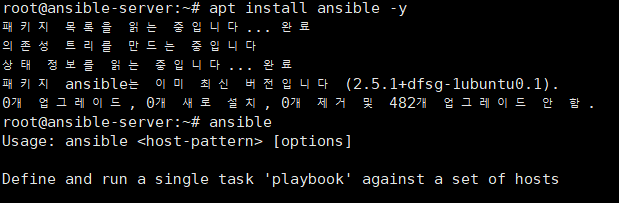
- # apt install ansible -y
- # ansible
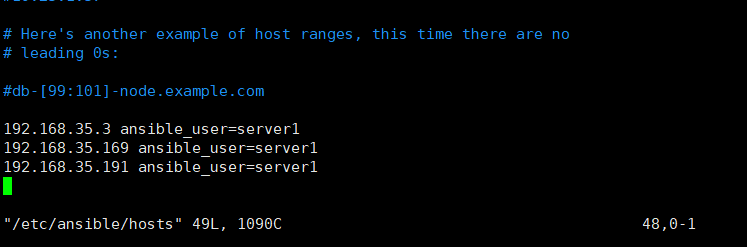
- /etc/ansible/hosts 파일에 접근하고자하는 host의 ip를 등록
- ansible_user를 각 node의 username을 입력
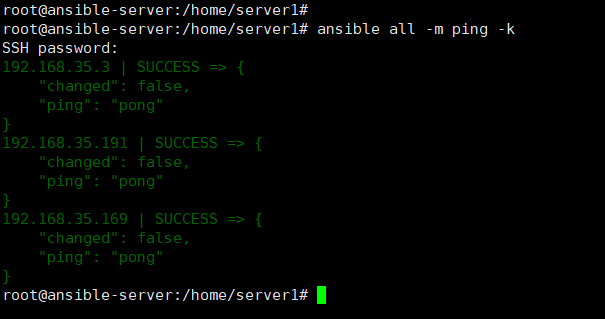
- * 각 node에 ansible이 python모듈을 사용하기 때문에 각 node에 python이 설치되어 있어야 ping 체크가 정상적으로 이루어진다

- # ansible all -m ping --list-hosts
- 영향받는 host의 리스트 출력
3. ansible 테스트 (No PlayBook)
1. uptime 확인

- # ansible all -m shell -a "uptime" -
2. 디스크 용량 확인
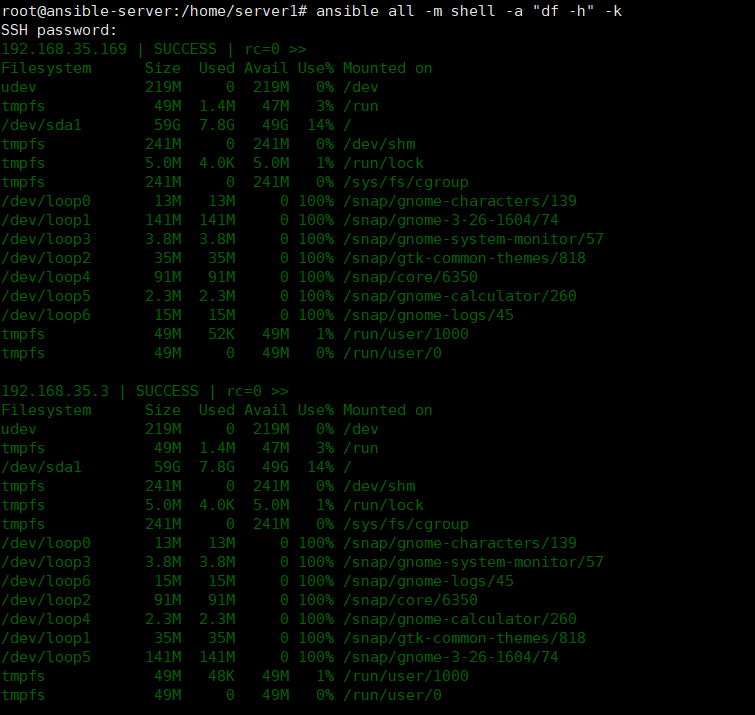
- # ansible all -m shell -a "df -h" -k
3. 메모리 상태 확인

- # ansible all -m shell -a "free -h" -k
4. 새로운 유저 생성

- # ansible all -m user -a "name=test1 password=1234"
5. 파일 전송하기
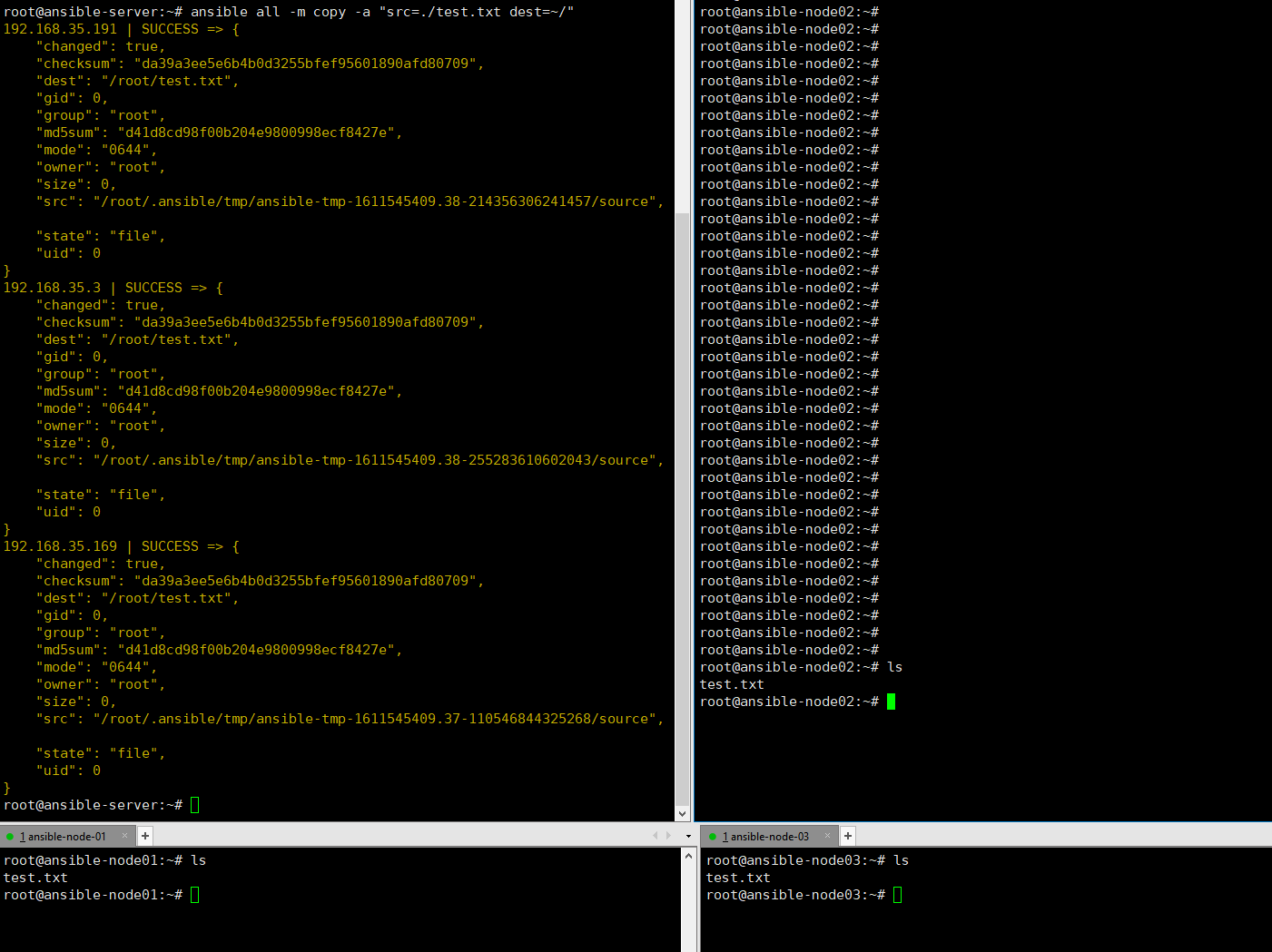
- # ansible all -m copy -a "src=.test.txt dest=~/"
6. apache2 서비스 설치
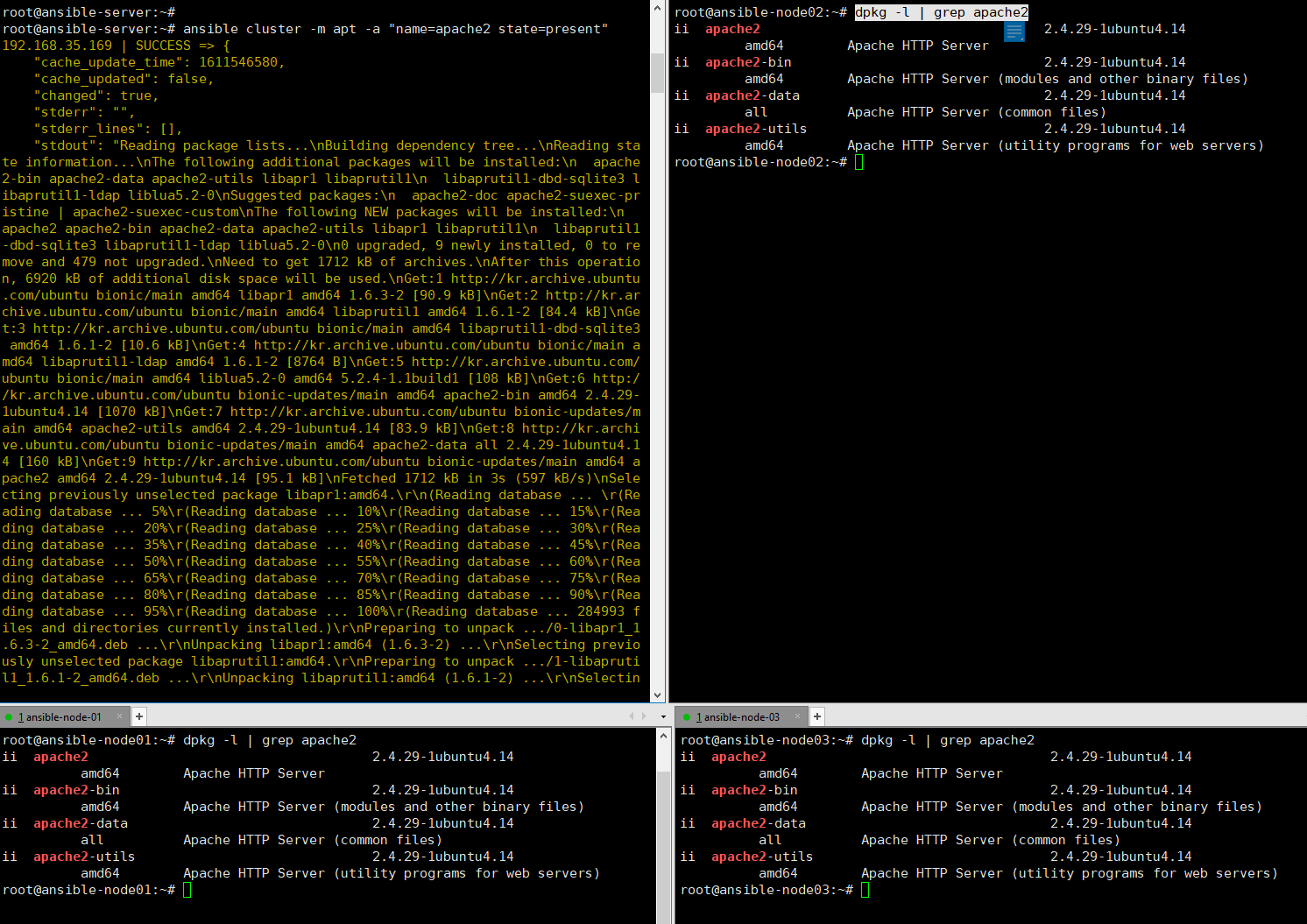
- # ansible cluster -m apt -a "name=apache2 state=present"
4. ansible 테스트 (PlayBook)
- PlayBook
- 각본,계획 -> 설치, 파일전송, 서비스시작등을 yaml파일을 통해서 일괄적으로 실행
- 멱등성(여러번 연산을 적용하더라도 결과는 같음)
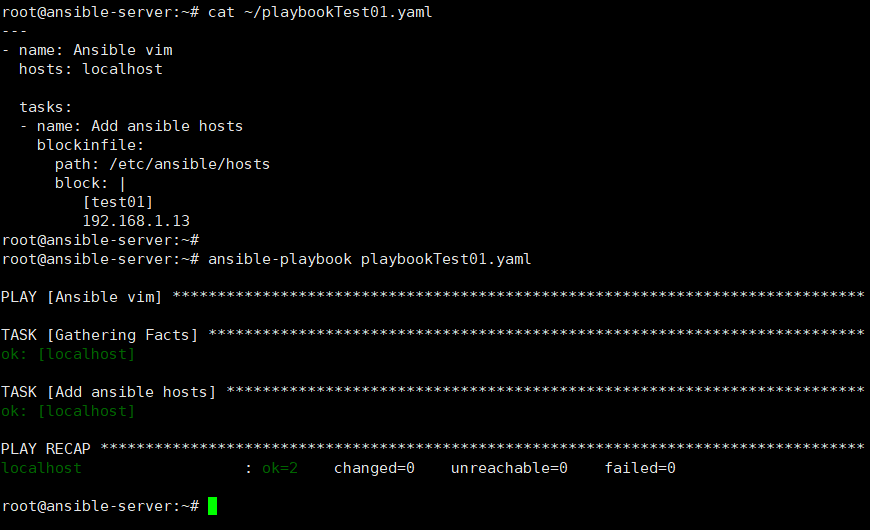

- 동일한 ansible-playbook 명령을 반복하여 실행하여도 결과가 누적되지 않는것을 확인할 수 있다
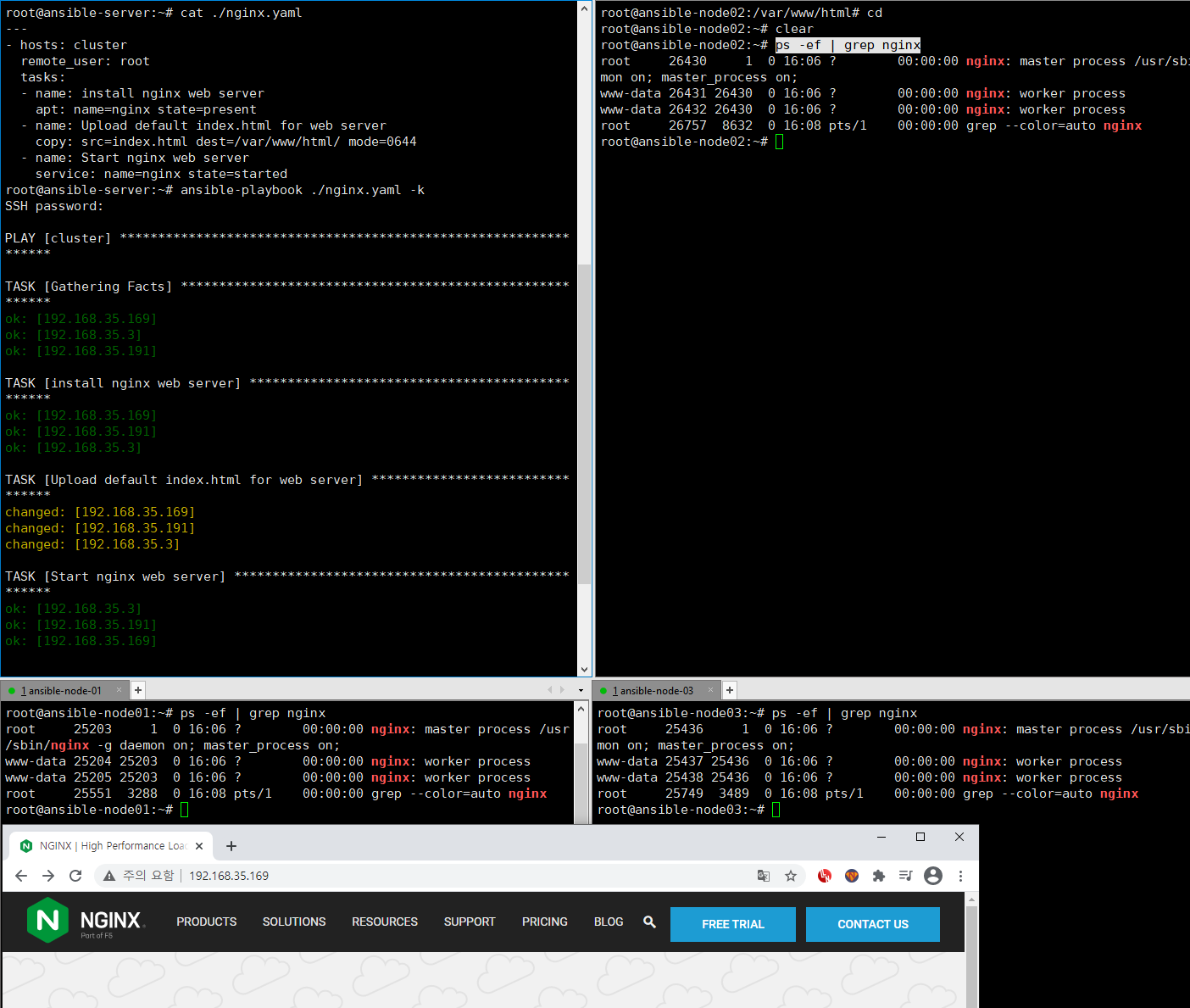
- nginx 설치 및 실행
- # curl -o index.html https://www.nginx.com
- nginx 메인페이지를 다운로드받아서 해당 페이지를 설치한 nginx의 index 페이지로 활용
- # ansible-playbook ./nginx.yaml -k
- # curl -o index.html https://www.nginx.com
---
Tip
1. ubuntu에서 root 권한으로 node들을 관리하고자 하는 경우
- 설치환경: ubuntu

- /etc/ansible/hosts파일에 ansible_user 파라미터 없이 저장
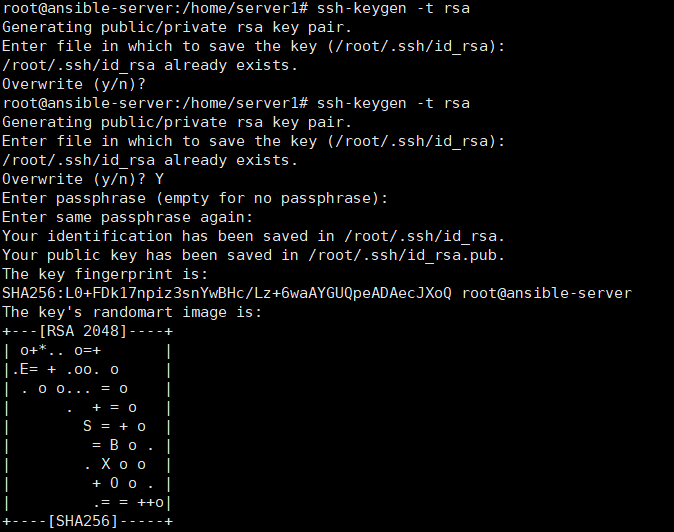
- ansible control 노드에서 ssh-keygen 생성(선택사항)
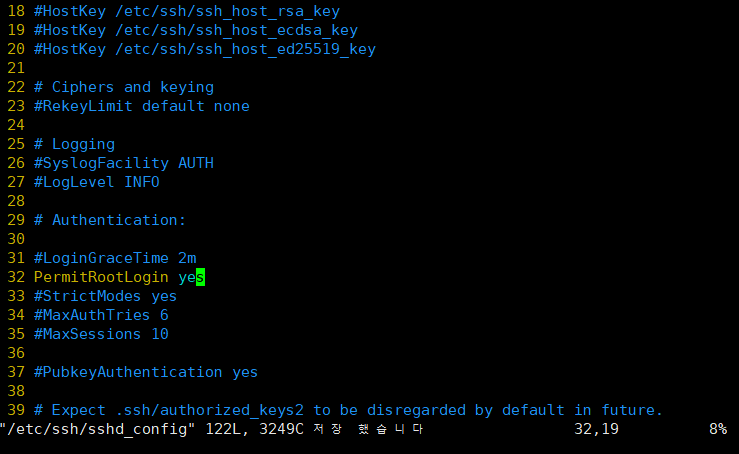
- 각 node의 /etc/ssh/sshd_config파일을 수정하여 root로그인 permission을 변경(필수사항)

- # service ssh restart
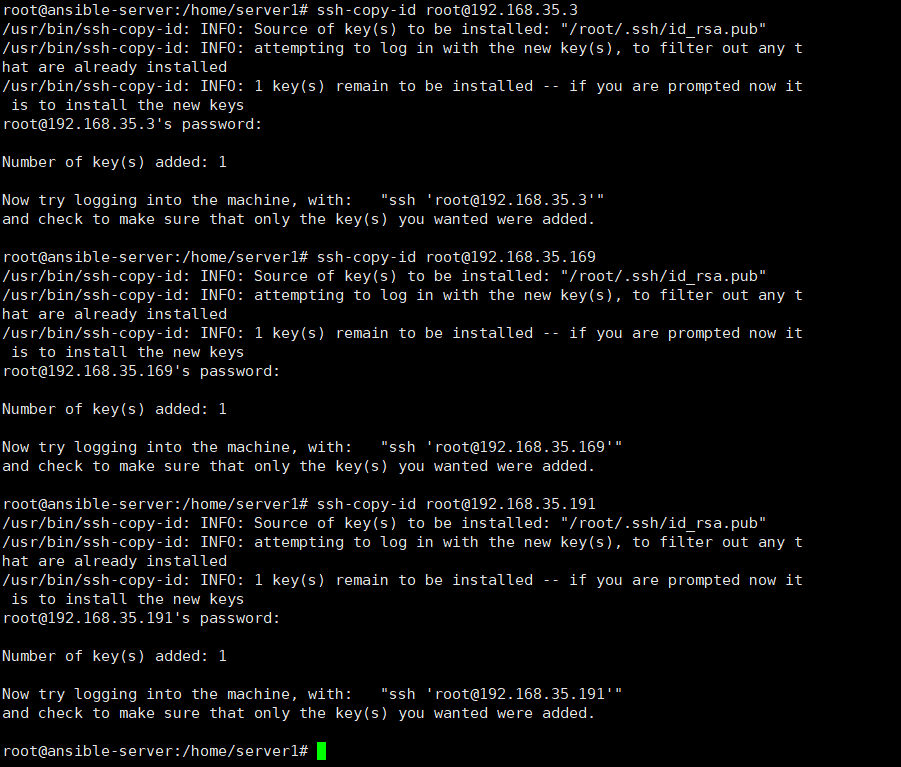
- # ssh-copy-id root@192.168.35.3
2. Vim-plug 설치 및 ansible-vim 설치
https://github.com/pearofducks/ansible-vim
pearofducks/ansible-vim
A vim plugin for syntax highlighting Ansible's common filetypes - pearofducks/ansible-vim
github.com


- # apt install git -y
- # apt install vim -y

- # vim
- # PlugInstall
3. YAML 에러가독성 향상
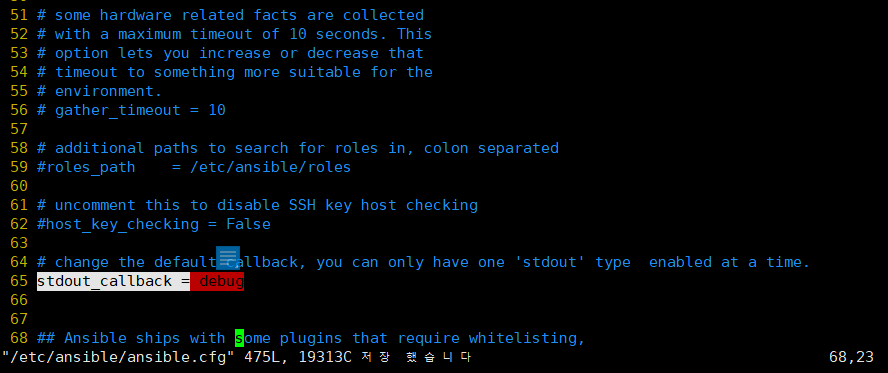
- /etc/ansible/ansible.cfg 파일의 stdout_callback = debug 로 변경