애플리케이션에서 환경변수를 설정하는 방법은 3가지가 있다.
1. 환경변수를 pod에 저장하는 방법(kubernetes.io/docs/tasks/inject-data-application/define-environment-variable-container/)
| apiVersion: v1 kind: Pod metadata: name: envar-demo labels: purpose: demonstrate-envars spec: containers: - name: envar-demo-container image: gcr.io/google-samples/node-hello:1.0 env: - name: DEMO_GREETING value: "Hello from the environment" - name: DEMO_FAREWELL value: "Such a sweet sorrow" |
envars.yaml

2. Configmap환경변수를 ConfigMap 에 저장하는 방법

configmap 생성 및 조회
- # kubectl create configmap map-name --from-file=test
- # kubectl get configmaps -o yaml
| apiVersion: v1 kind: Pod metadata: name: envar-configmap labels: purpose: demonstrate-envars spec: containers: - name: envar-demo-container image: gcr.io/google-samples/node-hello:1.0 env: - name: DEMO_GREETING valueFrom: configMapKeyRef: name: map-name key: test |
envars-configmap.yaml

전체 keylist를 환경변수에 설정


configmap을 활용한 디렉토리 마운트


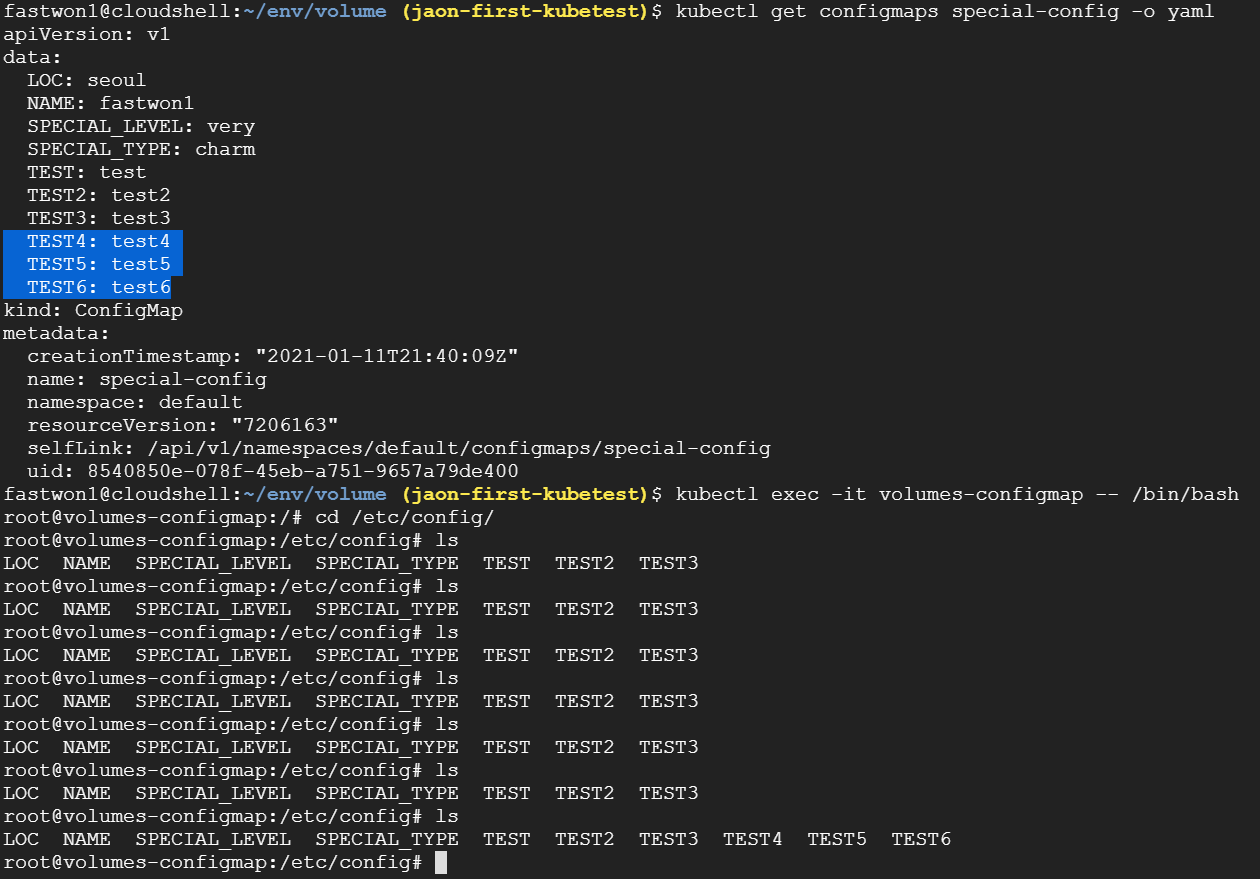
- configmap에 3개의 key-value pairs를 추가할 경우 pod내에서도 이 설정이 1분마다 refresh되어 반영됨을 확인 할 수 있다.
- key-value pairs의 삭제 또한 반영된다.
- 마운트형태가 아닌 일반 configmap방식은 pod가 restart되어야 configmap의 변경사항이 반영된다.
3. 환경변수를 Secret에 저장하는 방법
- bese64 인코딩된 형태로 데이터를 저장한다.
- 비밀번호, OAuth 토큰 및 ssh 키등
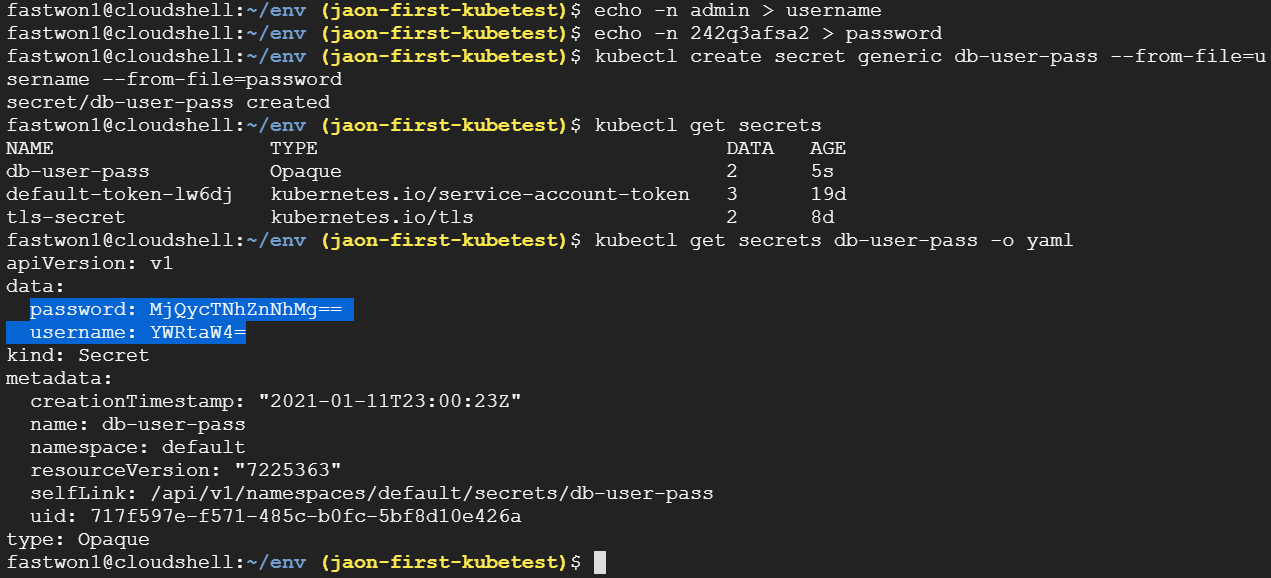
- # echo -n admin > username
- # echo -n 242q3afsa2 > password
- # kubectl create secret generic db-user-pass --from-file=u sername --from-file=password
- # kubectl get secrets db-user-pass -o yaml
- 디코딩
- # echo YWRtaW4= | base64 --decode


- kubectl create secret generic db-secret --from-literal=' DB_Password=Passw0rd!0' --dry-run=client -o yaml > secret-mysql.yaml
- kubectl get secret db-secret -o yaml
'클라우드 > K8s' 카테고리의 다른 글
| K8s Configmap (0) | 2022.03.31 |
|---|---|
| K8s 버전 업그레이드 (0) | 2022.03.18 |
| K8s Self-healing (0) | 2022.03.17 |
| K8s label (0) | 2022.03.17 |
| K8s Network (0) | 2022.03.17 |