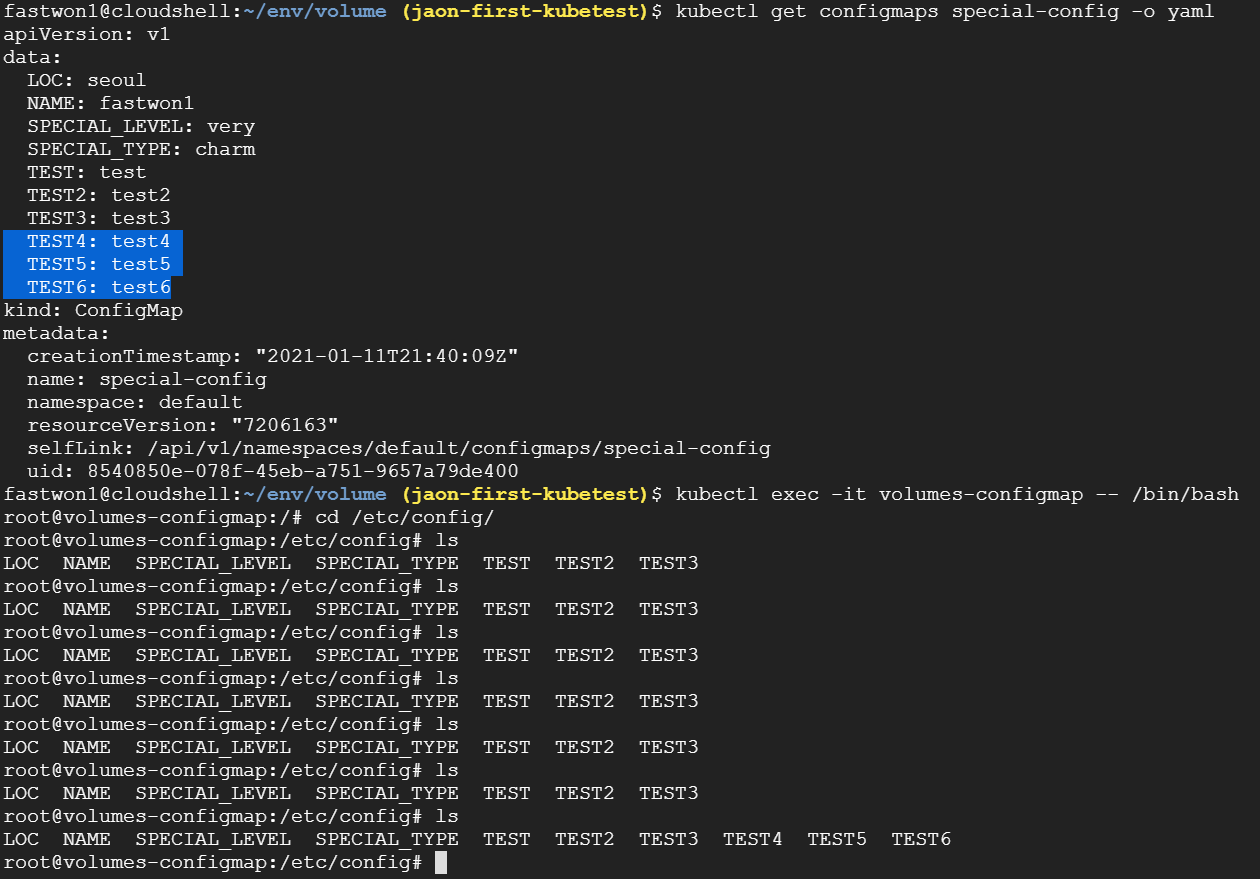
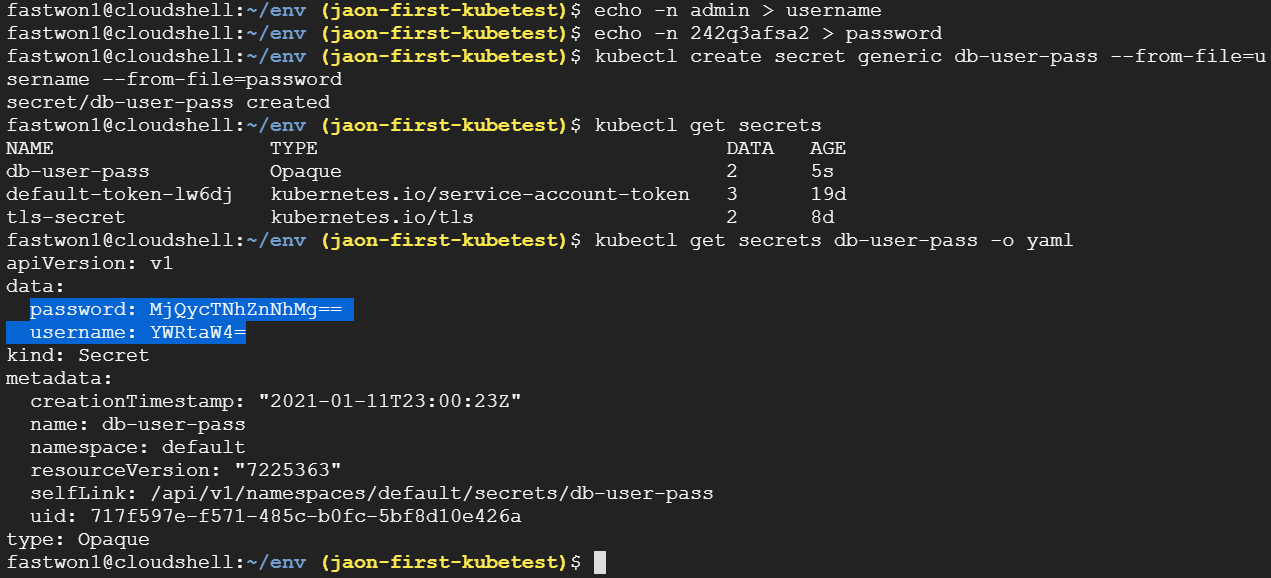
K8s Configmap란?
- 컨테이너에 필요한 환경 설정을 컨테이너와 분리해서 제공하는 기능
- 컨테이 구성 정보를 한곳에 모아서 관리
- Configmap을 단일진입점으로 Pod가 생성/재시작 할때마다 해당 Configmap을 참조하도록 하는게 가능
//형식
kubectl create configmap CONFIG_NAME --from-literal=id=jaon --from-literal=age=30
                                                   key value             key value
kubectl create configmap CONFIG_NAME -- from-file=text.file
                                                    key  내용: value
kubectl create configmap CONFIG_NAME --from-file=mydate=text.file
                                                   key     value
kubectl create configmap CONFIG_NAME --from-file=/config_dir/
                                              directory file전부
Configmap 생성 테스트
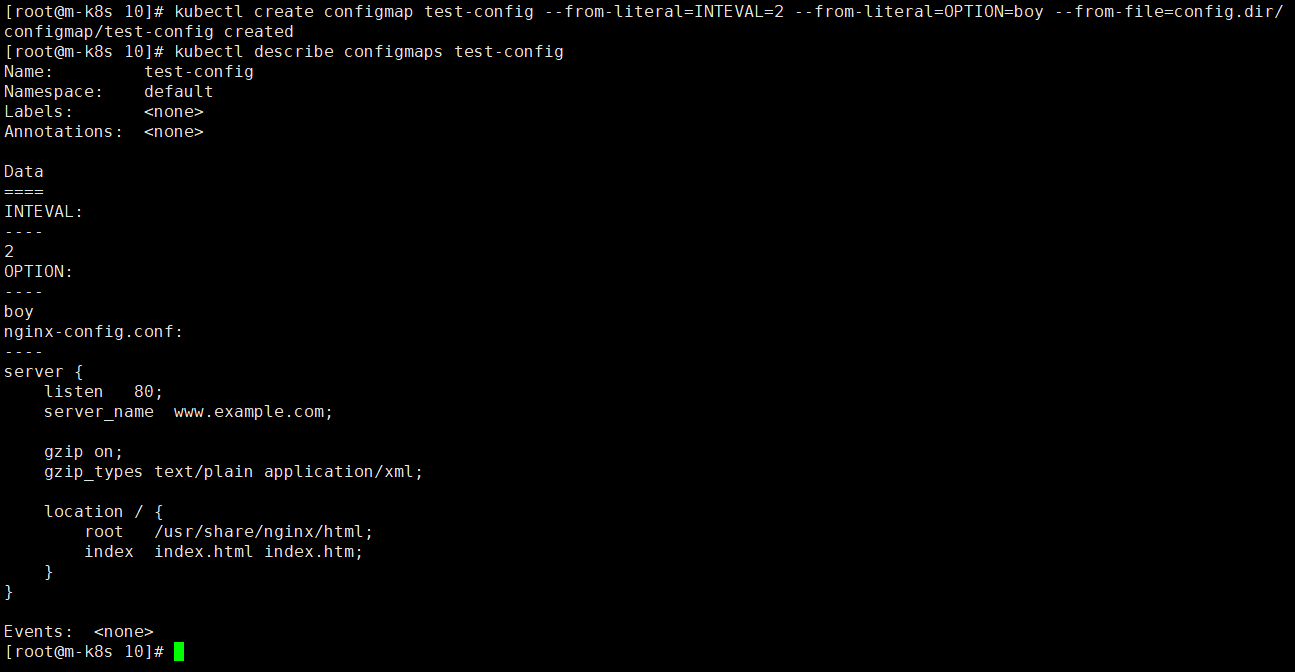
- # kubectl create configmap test-config --from-literal=INTEVAL=2 --from-literal=OPTION=boy --from-file=config.dir/
- # kubectl describe configmaps test-config
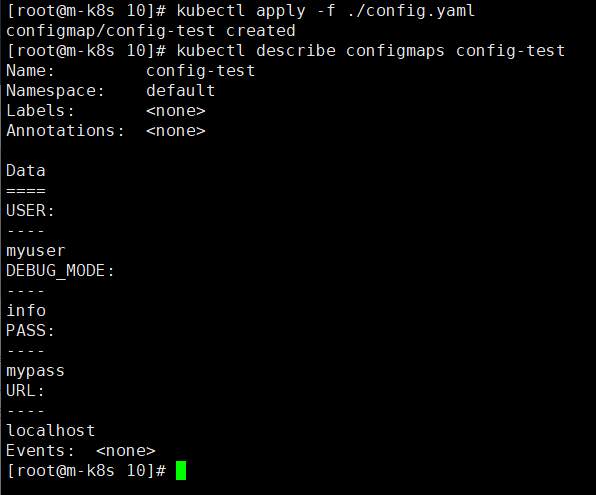
- # kubectl edit configmap test-config
apiVersion: v1
kind: ConfigMap
metadata:
  name: config-test
  namespace: default
data:
  URL: localhost
  USER: myuser
  PASS: mypass
  DEBUG_MODE: info
Configmap Pod에 일부 configmap 적용 테스트
apiVersion: apps/v1
kind: Deployment
metadata:
  labels:
    app: configmap-test
  name: configmap-test
spec:
  replicas: 3
  selector:
    matchLabels:
      app: configmap-test
  template:
    metadata:
      labels:
        app: configmap-test
    spec:
      containers:
      - image: nginx
        name: nginx
        env:
        - name: DEBUG_LEVEL
          valueFrom:
            configMapKeyRef:
              name: config-test
              key: DEBUG_MODE
        - name: URL
          valueFrom:
            configMapKeyRef:
              name: config-test
              key: URL
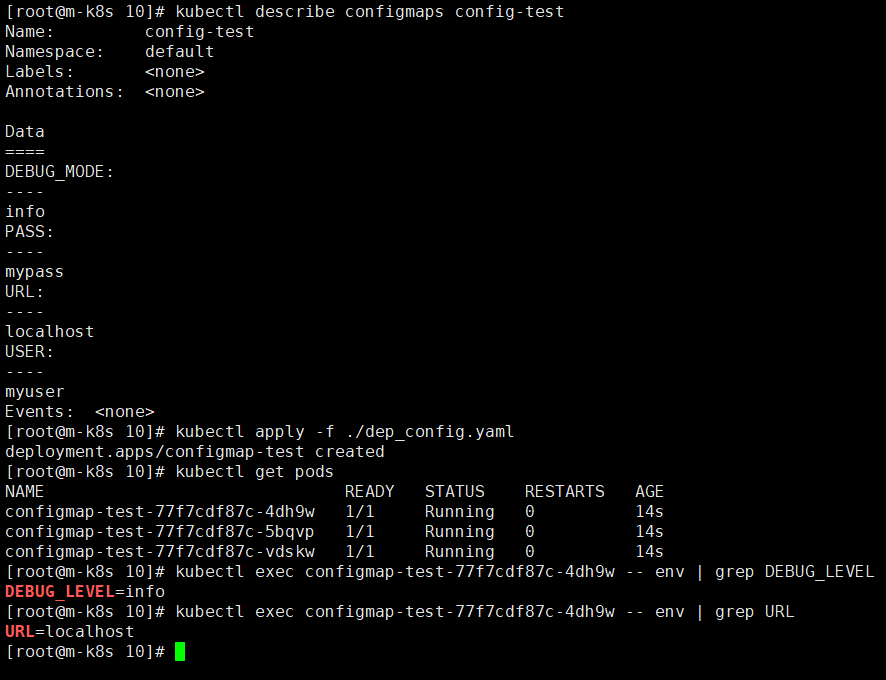
- configmap에서 pod에 일부 적용된 환경변수 조회
Configmap Pod에 전체 configmap 적용 테스트
apiVersion: apps/v1
kind: Deployment
metadata:
  labels:
    app: configmap-test
  name: configmap-test
spec:
  replicas: 3
  selector:
    matchLabels:
      app: configmap-test
  template:
    metadata:
      labels:
        app: configmap-test
    spec:
      containers:
      - image: nginx
        name: nginx
        envFrom:
        - configMapRef:
            name: config-test

- configmap의 전체 내용을 pod에 적용
Configmap 볼륨 적용 테스트
apiVersion: v1
kind: Pod
metadata:
  name: configmap-volume-test
spec:
  containers:
  - image: ubuntu
    name: id-generator
    command:
    - sleep
    - "100000"
    env:
    - name: INTERVAL
      valueFrom:
        configMapKeyRef:
          name: test-config
          key: INTERVAL
    volumeMounts:
    - name: html
      mountPath: /webdata
  - image: nginx
    name: web-server
    ports:
    - containerPort: 80
    volumeMounts:
    - name: html
      mountPath: /usr/share/nginx/html
      readOnly: true
    - name: config
      mountPath: /etc/nginx/conf.d
      readOnly: true
  volumes:
  - name: html
    emptyDir: {} #pod의 container간 volume mount (/webdata와 /usr/share/nginx/html path연결)
  - name: config
    configMap:
      name: test-config
      items:
      - key: nginx-config.conf #configmap test-conf의 key
        path: nginx-config.confs #생성할 파일이름
      - key: INTERVAL #configmap test-conf의 key
        path: IS_IS_INTERVAL